Tour
See inside your app.
Rust off Rails gives your app the tools to watch it run: a dev dashboard with traces and a profiler, a local mailbox, a jobs dashboard, and live updates with presence. Your agent reads the same data as JSON, so it can check its own work.
/dev/dashboard
The dev dashboard
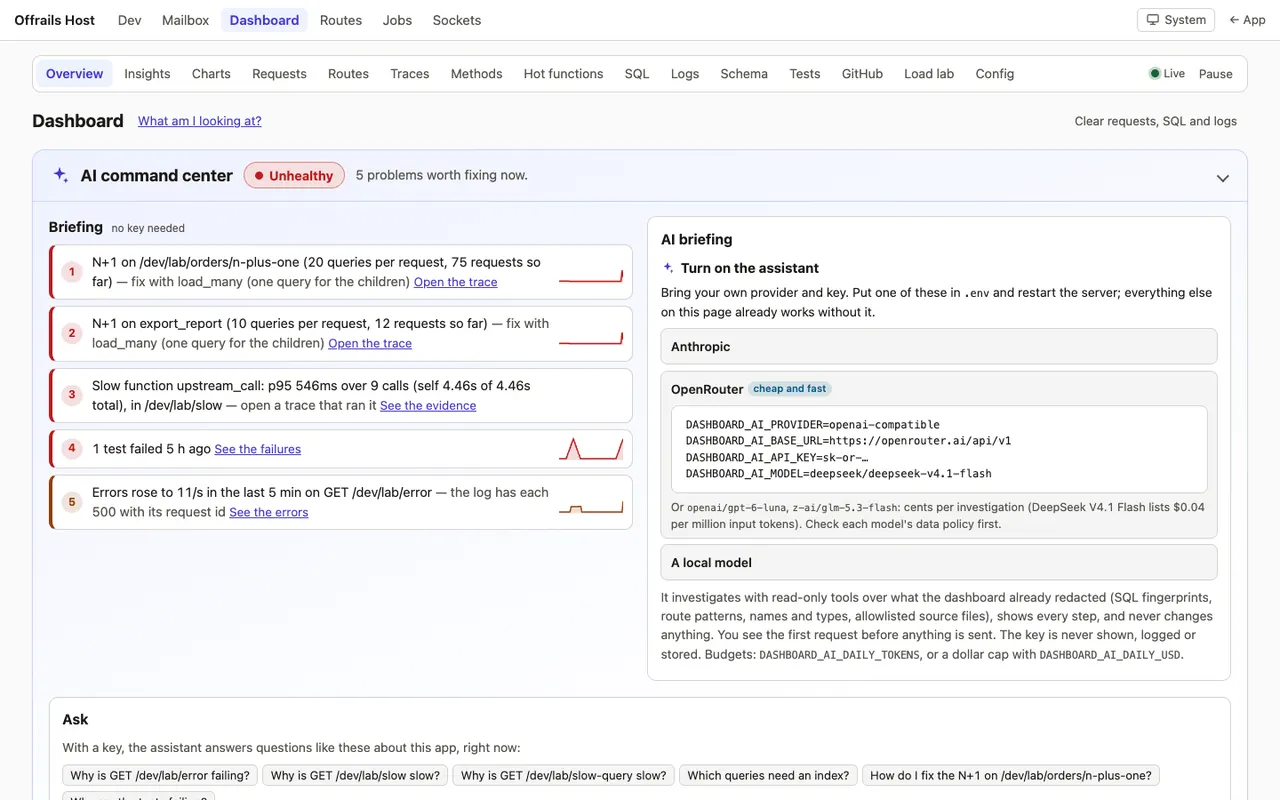
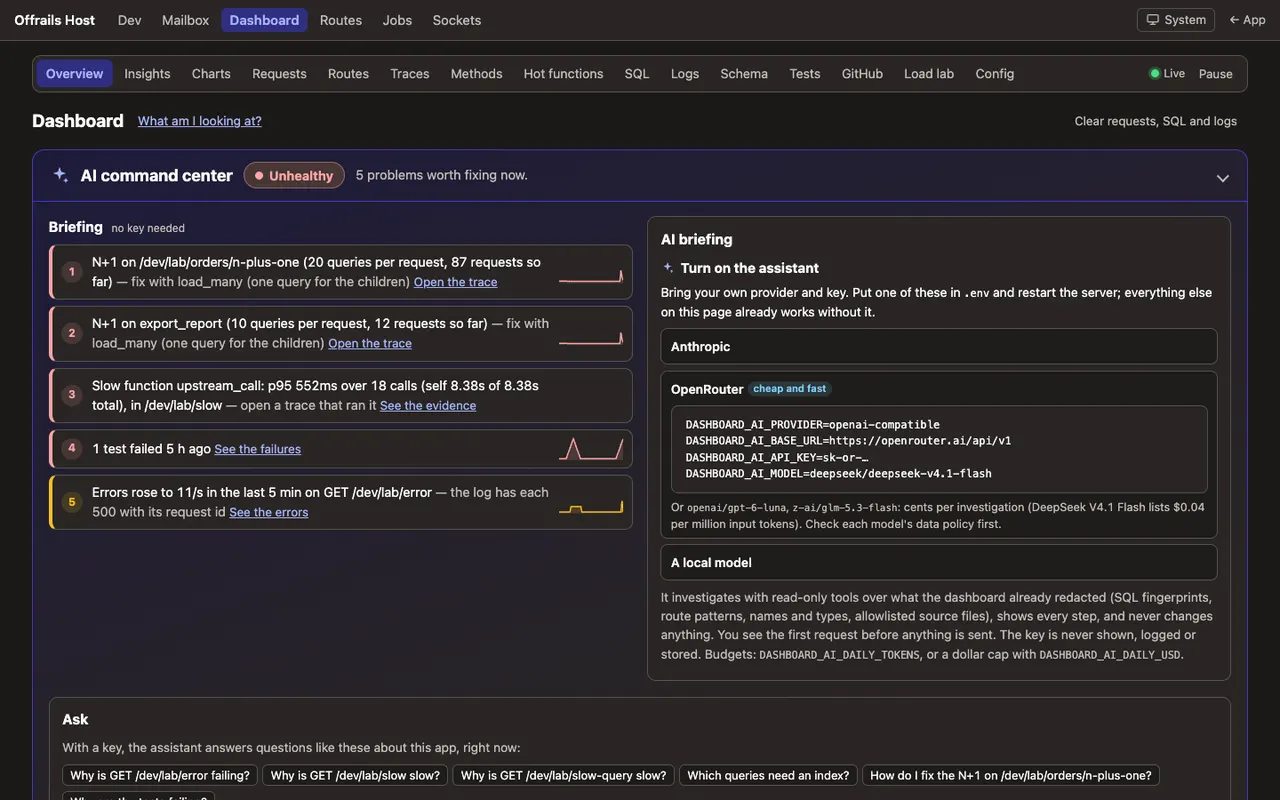
Everything the app is doing, live: memory, CPU, requests per second, p50, p95 and p99 latency, errors, the database pool and Tokio. Every route with its numbers, every SQL statement by fingerprint, and the live log.
An app doctor ranks what to fix first, each finding linked to its evidence. It runs inside the app: no Prometheus, Grafana or Jaeger to run.
It costs about 1 µs per request for the middleware in a release build. It is development only by default, with an optional read-only view for production behind the admin password.
Traces
Every request, as a waterfall
The handler, your methods, each SQL statement and the template render, each with its time. N+1 queries are flagged in place, with the repeated queries behind them and a suggested fix.
Charts cover 5 minutes to 30 days and survive restarts: the history lives on disk, about 70 KB a day.


Performance
Hot functions
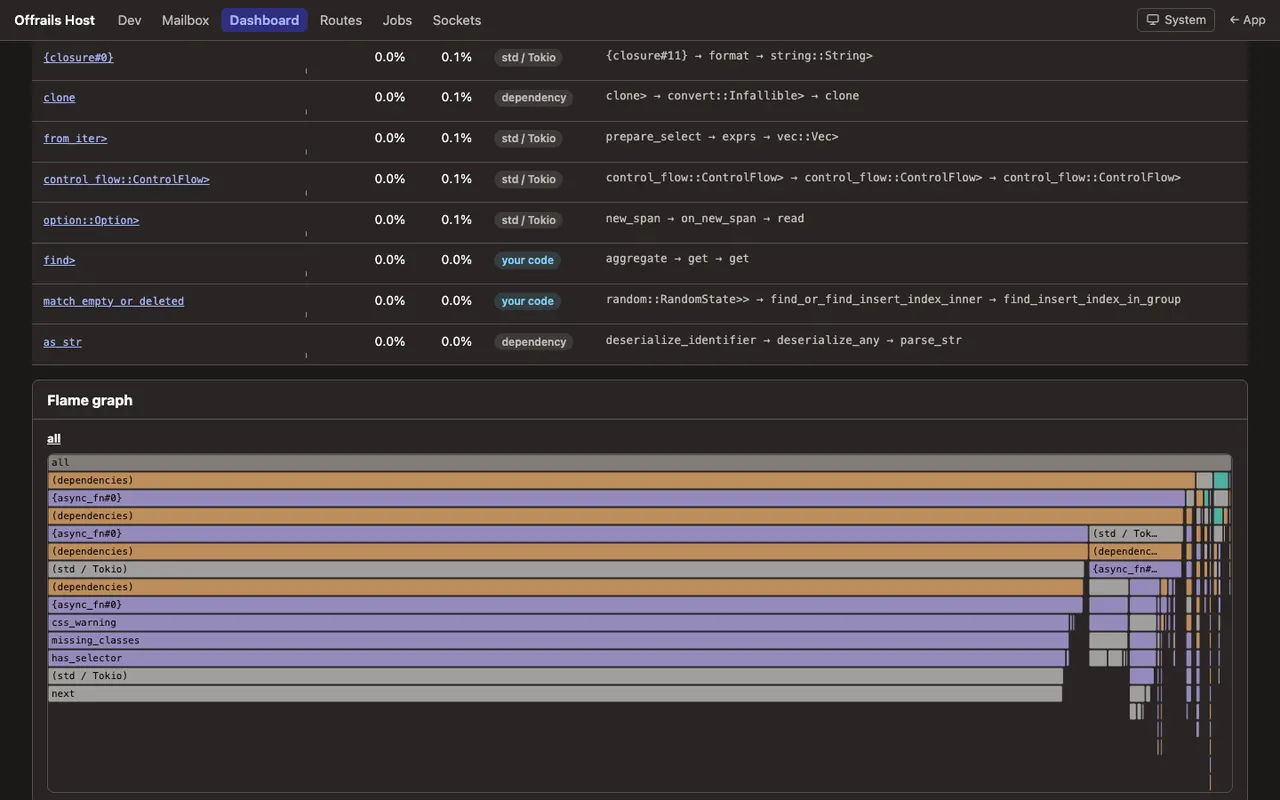
A CPU sampling profiler at 99 Hz that you start from the page, with no annotations in your code. It shows functions by self and total share, the usual path to each, your code apart from dependencies and std/Tokio, and a flame graph.
It runs in development only, and never starts in production.

/dev/mailbox
A local mailbox
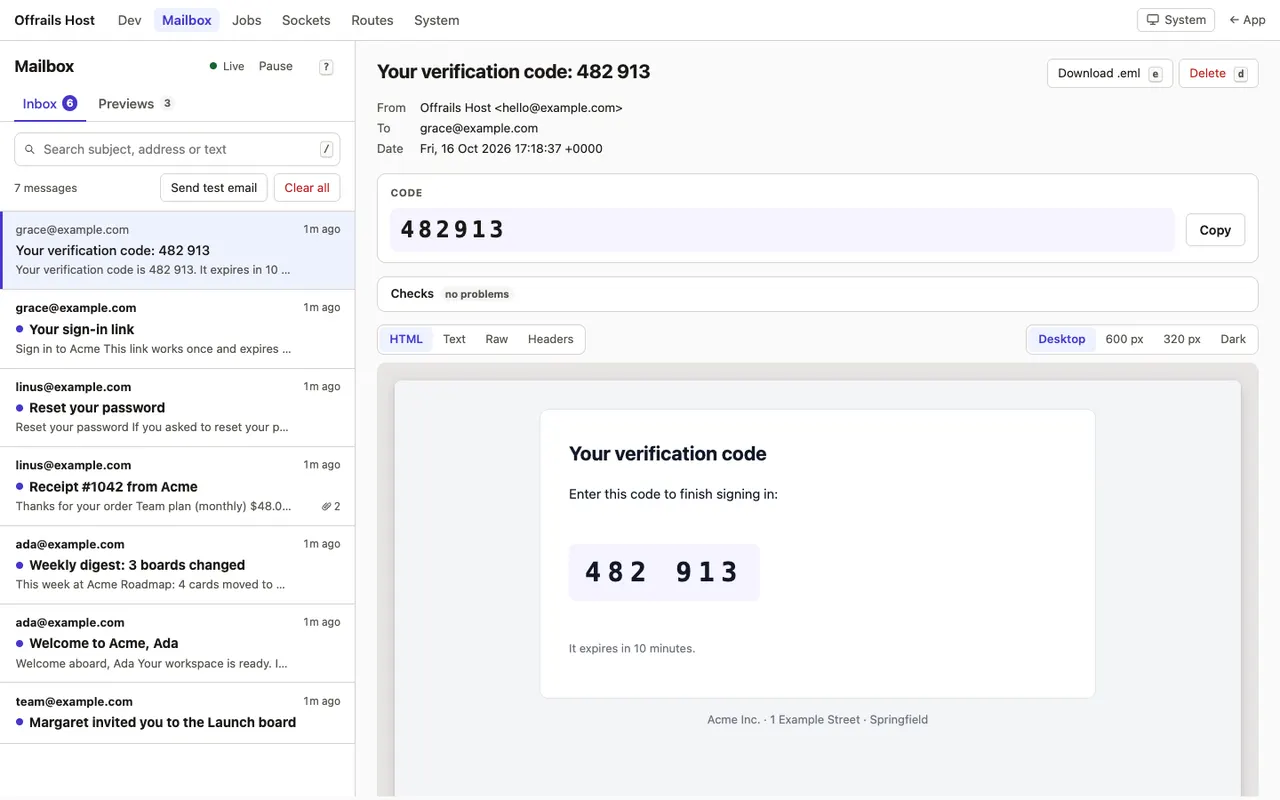
Every email the app sends in development lands here, live: the HTML in a sandboxed frame, the text part, the raw source and every header, with Desktop, 600 px, 320 px and Dark previews.
Sign-in codes and links are pulled out with copy buttons. Checks catch what breaks in real inboxes, such as Gmail's 102 KB clipping or images without alt text.
Agents and tests read /dev/mailbox/latest.json to find the code they need.

/admin/jobs
The jobs dashboard
What's running, what's failing and why: state counters, throughput and queue-wait charts, each running job with its progress, and errors grouped by root cause, so one outage is one group.
Retry, cancel or run jobs, pause queues for a deploy. Every change is a CSRF-checked POST, and bulk actions ask first with the exact count.


Realtime
Live updates, channels and presence
Live pages update when the data changes: signals over Server-Sent Events. On Postgres a NOTIFY wakes them in 2.1 ms, down from 238 ms.
Channels give each tab one connection: WebSocket first, then SSE + POST, then long polling when a proxy blocks WebSockets. Presence lists people, not tabs, across devices and nodes.
After a reconnect the client resumes from a durable cursor and replays what it missed. /dev/sockets shows every connection, topic and frame.

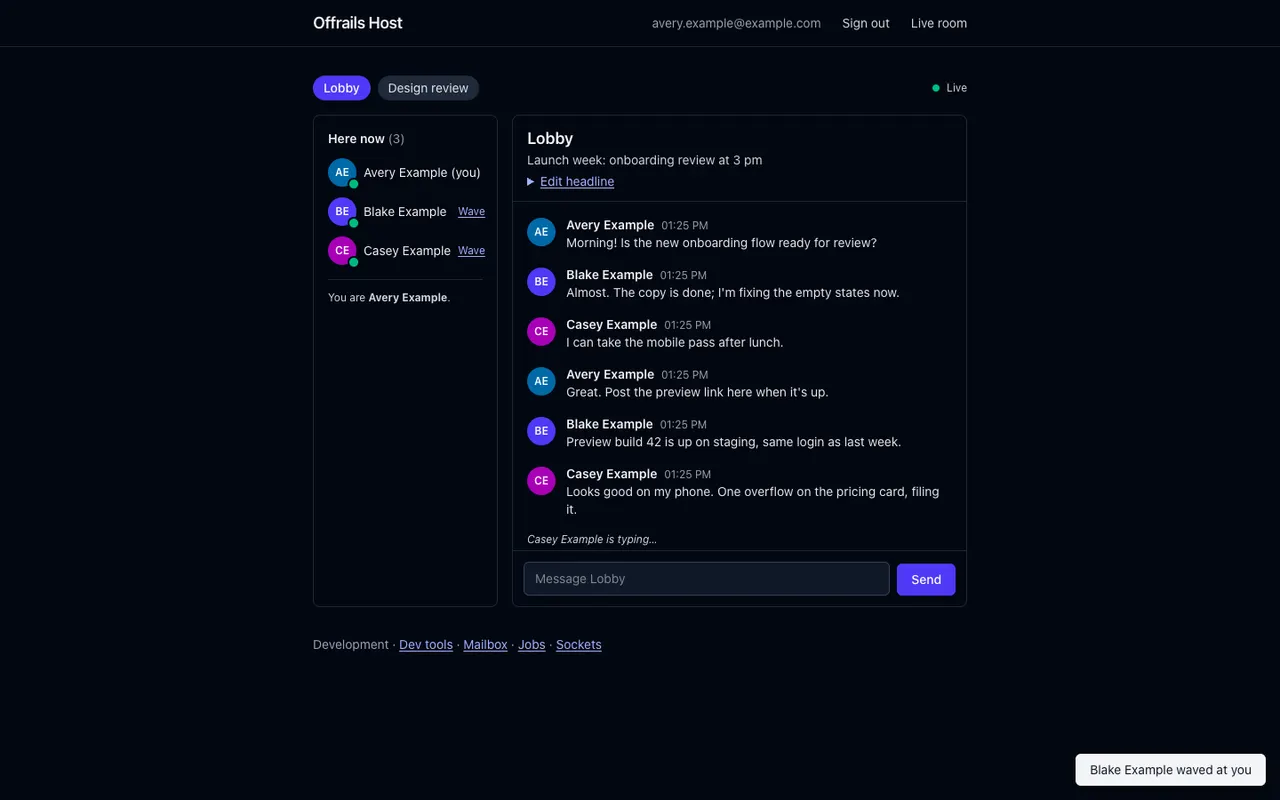


/dev/sockets: connections, topics, presence and every frame.Measured, not guessed
- 1.37 GB to 160–225 MBmemory at 10,000 WebSockets after the buffers were tuned, with failed handshakes 17 → 0 0.6.2
- 5,000 watcherson one live board: each change renders once per stream version, not once per watcher 0.6.1
- 15 MiBresident memory for a bare release build after 1000 requests 0.7.1
- 238 ms to 2.1 mssignal latency on Postgres with
NOTIFY0.3.0
From the framework's changelog, which records how each number was measured.
Why it matters
The agent can see what it built.
An agent that can't see the running app guesses. Here it asks: /dev/introspect.json and app introspect report the migrations, whether the CSS is stale, the protocol and the live streams; the dashboard and the mailbox have JSON of their own.
So the agent can open the trace behind a slow page, count the queries, read the email it just sent, and prove it with a test on SQLite and Postgres. Apps come out fast and complete, not just compiling.
These tools are parts: tested code from rust-off-rails/samples that your agent copies into the app (cargo offrails add dev-dashboard). Then the app owns it.